Can you actually stop AI from scraping your art website?
You've probably seen the advice. Disable right-click. Add a watermark. Put "no AI" in your captions. Some of it helps a little. Some of it does nothing at all.
So here's the honest answer first: you can't completely stop AI companies from using art that's online. But you can stop more than most artists think, and the place you have the most control is your own website.
The hard part: what's taken stays taken
Everything below works going forward. None of it pulls your images back out of datasets that have already been collected.
Common Crawl, a huge public archive of the web that AI models have trained on, honors blocks from the day you add them. Squarespace's own help page says its AI blocking setting "doesn't retroactively remove content previously scraped from a site."
That isn't a reason to give up. Every new piece you post is a new chance to keep it out, and the sooner you set this up, the less goes in.
Layer 1: tell the honest crawlers to stay out
Every website can have a small file called robots.txt that tells automated
visitors what they may look at. The major AI companies publish the names of
their crawlers and say those crawlers obey this file:
- OpenAI: blocking
GPTBotmeans your content "should not be used in training" its models, per OpenAI. - Anthropic: blocking
ClaudeBotexcludes your future content from training, per Anthropic. - Google: blocking
Google-Extendedopts you out of Gemini training, and Google says it "does not impact a site's inclusion in Google Search nor is it used as a ranking signal." - Apple: blocking
Applebot-Extendedopts you out of training Apple's AI models, and Apple says your pages can still appear in its search results. - Meta:
meta-externalagentis the crawler Meta uses for training its AI models. - Common Crawl:
CCBotcollects the public archive mentioned above. - ByteDance:
Bytespideris the crawler of TikTok's parent company, and it's on Squarespace's list of AI crawlers too.
Here's a block you can add to your robots.txt. If the file already has rules
in it, add these underneath. Don't replace what's there.
# Keep AI training crawlers out
User-agent: GPTBot
Disallow: /

User-agent: ClaudeBot
Disallow: /

User-agent: Google-Extended
Disallow: /

User-agent: Applebot-Extended
Disallow: /

User-agent: meta-externalagent
Disallow: /

User-agent: CCBot
Disallow: /

User-agent: Bytespider
Disallow: /
How to add it depends on your website:
- Squarespace: there's a built-in setting. Go to Settings, then Crawlers, and tick Block known artificial intelligence crawlers. It's off by default, and it covers all of the crawlers above and more, per Squarespace.
- Wix: you can edit the file yourself. Wix explains how.
- WordPress or a custom site: your web developer can add it in a few minutes.
Then check it worked: type your web address followed by /robots.txt, for
example yourname.com/robots.txt, and look for the lines above.
The trade-off almost nobody explains
This is where most guides go wrong, and it can cost you buyers.
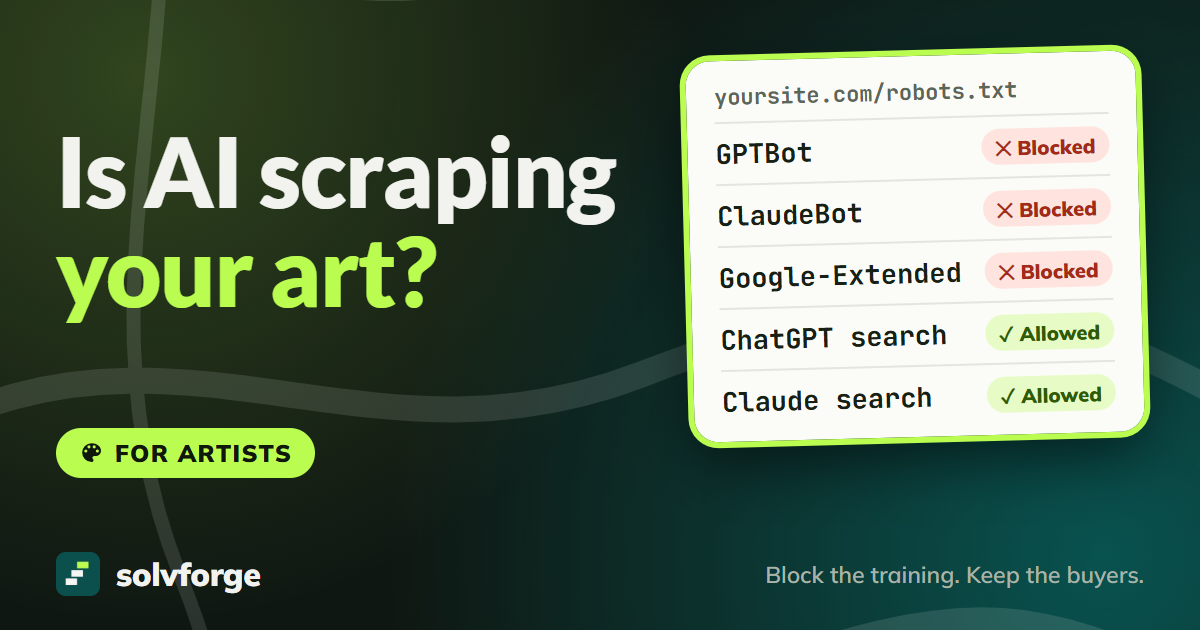
AI companies don't run one crawler. They run separate ones for training, for their search features, and for fetching a page when someone asks about it. Block the wrong one and you vanish from the places people now look for art.
OpenAI is explicit about it: sites that block its search crawler, OAI-SearchBot,
"will not be shown in ChatGPT search answers." Anthropic's Claude-SearchBot and
Perplexity's PerplexityBot work the same way for their search tools, and
Perplexity says its crawler isn't used
to train AI models.
So the list above is deliberate. It blocks training and leaves search alone. When a collector asks an AI tool to find "abstract landscape painters in Vermont", you still want to be in the answer.
Avoid copying a "block every AI bot" list you found online without checking what's on it. Some of those lists block search crawlers too.
Layer 2: block the ones that don't ask
robots.txt is a request, not a lock. Squarespace calls its own setting "a
request," not a guarantee. Well-behaved crawlers obey it, and nothing forces the
rest to.
In 2025, Cloudflare published findings that Perplexity was using undeclared crawlers to get around sites that had blocked it. Perplexity disputed this. In the same tests, Cloudflare said OpenAI's crawler read the block and stopped.
Enforcing a block, rather than asking, has to happen before visitors reach your site. The most common way is Cloudflare, a service that sits in front of many websites. Since July 2026, every Cloudflare plan, including the free one, lets you block AI crawlers by what they do: Training, Search or Agent.
One detail matters for artists. From 15 September 2026, new Cloudflare sites block training crawlers by default, but only on pages that display ads. Most portfolios don't show ads, so that default may not protect you at all. If you use Cloudflare, set Training to block on all pages yourself.
Not every website can sit behind Cloudflare. Some hosted website builders don't support it, so ask your host or web person before you change anything.
Layer 3: make what's taken less useful
Tools like Glaze and Nightshade, from the University of Chicago, change your images in ways people barely notice but that are meant to confuse AI models. Glaze aims to stop models copying your style. Nightshade aims to damage models that train on your images without permission. Both are free.
They're worth knowing about, but they aren't armour. Glaze's own team says it isn't a permanent solution. In 2025, researchers published a method called LightShed that detected Nightshade-protected images with 99.98 percent accuracy and removed the protection. The researchers presented it as a warning that better tools are needed, not as an attack on artists.
If you use them, think of them as one more layer. Keep your unprotected originals, and expect to re-process work when the tools are updated.
What doesn't work
- "No AI" tags in your page code. The
noaiandnoimageaitags started at DeviantArt in 2022. They aren't an industry standard, and we couldn't find any major AI company that has publicly committed to obeying them. - Disabling right-click. It stops a person from saving an image the easy way. It does nothing to a crawler, which never clicks.
- "Do not use for AI" in captions. A machine reading your page doesn't treat a sentence in a caption as an instruction.
- Watermarks on their own. They help with people reposting your work. They don't stop a model from learning from it.
- "Copyrighting your style." Copyright protects specific works, not a style.
Uploading smaller images is worth doing for other reasons, because it makes your work less useful for anyone who wants to print or resell it. It won't keep you out of training data.
Your social accounts are a bigger leak
Your website is the one place where you set the rules. On social media, the platform does.
Meta trains its AI on public posts from Facebook and Instagram. People in the EU and UK can object through Meta's privacy settings. In many other places, including the US, there's no general opt-out. If Instagram is your main gallery, a lot of your work is already outside your control.
Some art platforms give you settings of your own. On ArtStation you add a NoAI tag to your projects. On DeviantArt, check that your AI settings say what you want them to. Settings change, so look at them again every few months.
If you're in the EU, copyright law lets you reserve your work from text-and-data
mining "in an appropriate manner, such as machine-readable means". A robots.txt
block is one of the most common machine-readable ways to say no, which is one more
reason to have it.
Something better is coming, slowly
There's work under way on a shared "don't train on this" signal that every AI company would read the same way. Google says it intends to support one in early 2027. Until that's real and widely honored, the steps above are what you have.
The 15-minute checklist
Today:
- Add the training-crawler block to your
robots.txt, or tick the Squarespace setting. - Make sure you haven't blocked search crawlers like
OAI-SearchBot. - Open
yourname.com/robots.txtand check the lines are there.
This month:
- If your site uses Cloudflare, set Training to block on all pages, not just pages with ads.
- Decide whether Glaze suits your work, and keep unprotected originals if you use it.
- Check your AI settings on ArtStation, DeviantArt and any other platform you post on, and object to Meta's AI training if you can where you live.
Every few months:
- Look at your
robots.txtand platform settings again. New crawlers appear, and settings change.
What nobody can promise you
Be wary of anyone who sells "total protection" from AI. It doesn't exist. What's already collected can't be pulled back, and some crawlers don't play by the rules.
What you can do is keep your new work out of the biggest, best-known training crawlers, keep showing up when buyers search, and stop relying on tricks that only look like protection.
If you'd like us to set this up on your site, or check what your website is showing crawlers right now, ask for a free website audit and we'll take a look.